Trip profitability software for transporters
Know what the trip earned after its recorded costs.
Revenue alone cannot answer whether a movement was worthwhile. WaybillBooks brings the freight, memo expenses and trip result together with the route, vehicle, customer and documents behind it.
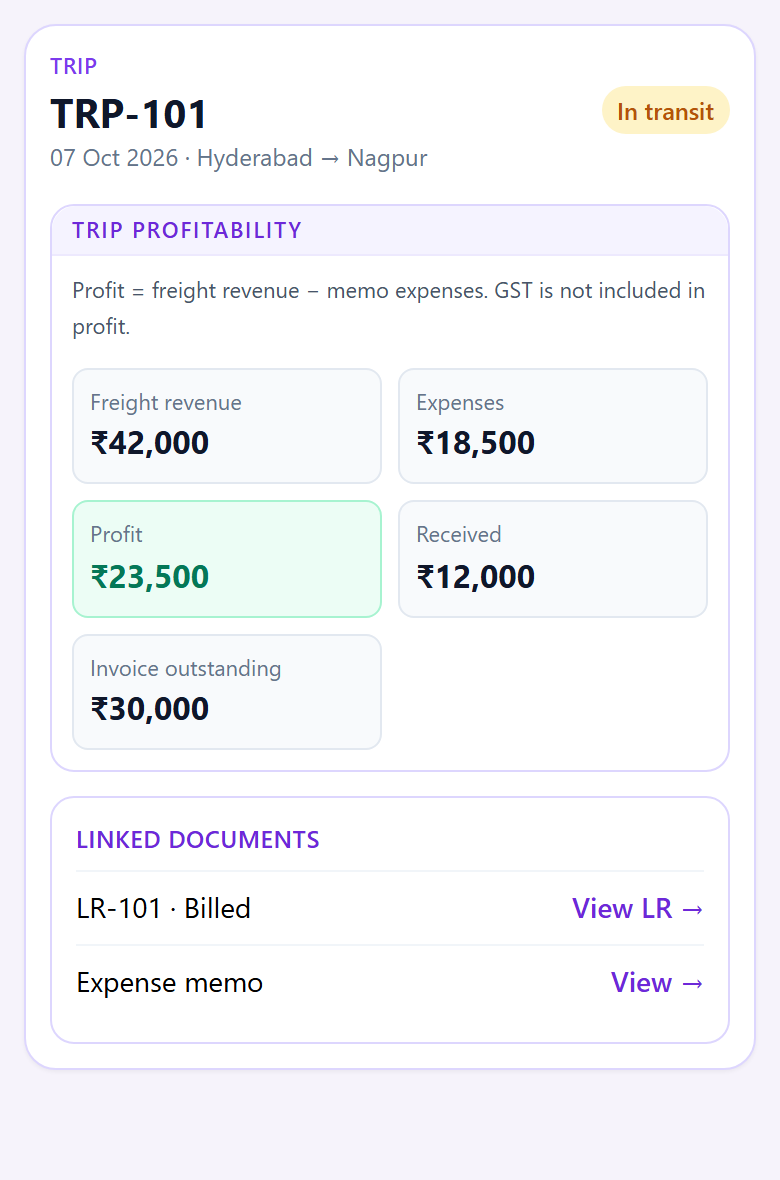
A worked example
One trip. A clear calculation.
Illustrative amounts, using the same trip-profit rule shown in the report.
Billed freight · ex GST
₹42,000
Recorded memo expenses
− ₹18,500
Trip profit
₹23,500
The report uses billed freight allocated to the trip, less its recorded memo expenses. An unbilled trip will not yet have billed revenue in this report. GST is excluded from revenue. For the wider fleet picture, review vehicle profitability, which considers additional vehicle and assigned costs.
How your team gets there
The number stays attached to the work.
1. Record the movement
Add the customer, route and vehicle to the trip, then bill the freight.
2. Record trip costs
Add trip memo expenses as they become known. The report uses the recorded memo cost.
3. Review and follow through
See the result for the trip, open its linked documents, and follow the customer balance separately.
Before you decide
What this figure includes
We show the calculation openly so you can judge whether it answers your question. Trip profit and full vehicle profitability serve different decisions.
Explore the Transport productHow is trip profit calculated?
The trip-profit report allocates billed freight revenue to its trips, excluding GST, then subtracts recorded trip memo expenses. A trip with ₹42,000 billed freight and ₹18,500 memo expenses shows ₹23,500 trip profit.
Does trip profit include vehicle standing expenses?
No. This trip view focuses on freight revenue and trip memo expenses. Use the vehicle profitability report for the wider picture that includes vehicle expenses and other assigned costs.
Can I see the trip behind the number?
Yes. The trip record keeps its route, customer, vehicle and linked documents together. The trip-profit report shows the trip number and related amounts.
See the calculation on your own workflow.
Walk through one of your trips with our team before you decide.